Webhooks: Let your systems talk to each other automatically

Imagine you have ordered a package from a webshop. You want to know when it ships.
You could call the shop every fifteen minutes and ask: "Has it been sent yet?" The answer will almost always be the same: "No, not yet."
Only after wasting both your own and the shop's time do you finally get the message: "The package has been shipped."
That is tedious and completely unnecessary. Instead, you could simply say: "Let me know when it ships."
That is exactly how webhooks work. A webhook is a message between systems: "Tell me when something happens." Instead of constantly asking (what is known as polling), you are automatically notified when something relevant occurs.
Or put another way: Polling is standing at the window watching for the postman all day. A webhook is getting a notification when the package is in the letterbox.
What happens behind the scenes?
When a customer completes a payment in your webshop, an entire chain reaction kicks off. The payment is approved, the funds are reserved, the order is created, receipts are sent. All within a few seconds, often across multiple systems.
Your payment solution and your webshop already handle that part. It happens via a notification URL that is built into the payment flow. You do not need to do anything extra.
But what if you need another system to be notified as well? Maybe your accounting software. Maybe a warehouse management system. Maybe an automation that sends an internal Slack message when something goes wrong.
This is where webhooks come in. They are a separate notification system that can send messages to systems outside the payment flow itself.
Webhooks in ePay
Alright, but what can you actually use it for? Here are three situations we see with our customers:
New subscription created? Notify your CRM. A customer signs up for a subscription in your webshop. With a webhook on subscription-billing.agreement-active.v1, you can automatically create the customer in your CRM, trigger a welcome flow, or notify your sales team. It happens the moment the subscription is activated - not the next time someone remembers to check.
Automatic bookkeeping on completed payments. A customer pays in your webshop, and you want it recorded in your accounting system straight away. With a webhook on transaction.success.v1, you can automatically send transaction data to your bookkeeping, so you do not have to do it manually.
Internal notification on failed transactions. You need your team to be notified immediately when a payment fails. With a webhook on transaction.failed.v1, you can send a notification to Slack, Teams or another system, so it can be acted on quickly.
It does require a little from your side
Webhooks require an endpoint - that is, an address that can receive the messages. This can be a URL on your own server, or a no-code tool like Make or Zapier that handles everything without a single line of code.
Some systems you do not need webhooks for at all. If you use e-conomic, for example, ePay has a direct integration that automatically creates draft journal entries when a payment is completed. But if you use an accounting system we do not have a ready-made integration for, a webhook is the easiest way to get your systems talking to each other.
How to set it up
In ePay's back office, you will find webhooks under Developers > Webhooks. Here you can create up to 10 webhooks, each with its own URL and an optional set of events.
The events you can listen to today:
transaction.failed.v1 - Sent when a transaction fails.
transaction.success.v1 - Sent when a transaction is completed.
subscription-billing.charge-failed.v1 - Sent when a subscription charge fails.
subscription-billing.charge-success.v1 - Sent when a subscription charge is completed.
subscription-billing.charge-created.v1 - Sent when a subscription charge is created.
subscription-billing.agreement-active.v1 - Sent when a subscription agreement becomes active.
subscription-billing.agreement-stopped.v1 - Sent when a subscription agreement is stopped.
settlement.transfer-ready.v1 - Sent when a settlement transfer is ready.
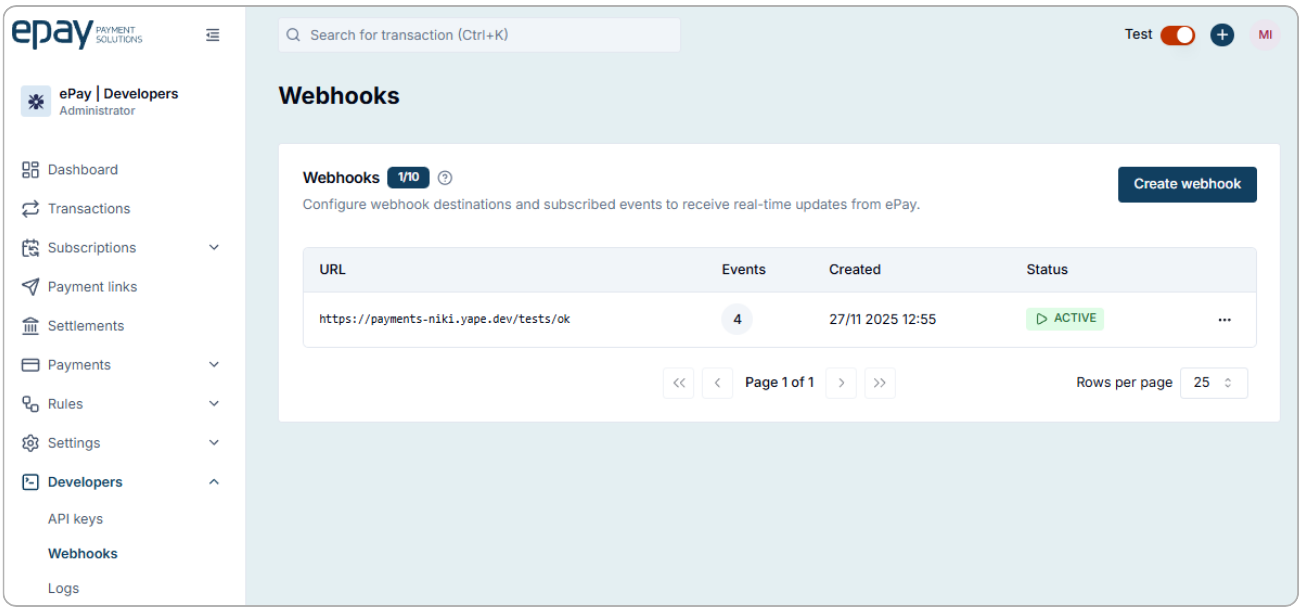
When you create a webhook, you specify three things:
- A URL: the endpoint that should receive the messages. This can be a URL on your own server, or a URL from an automation tool like Make or Zapier.
- An Authorization header: a secret key that is sent with every webhook. This is your guarantee that the messages actually come from ePay and not from someone pretending to be us.
- One or more events: the occurrences you want to be notified about.
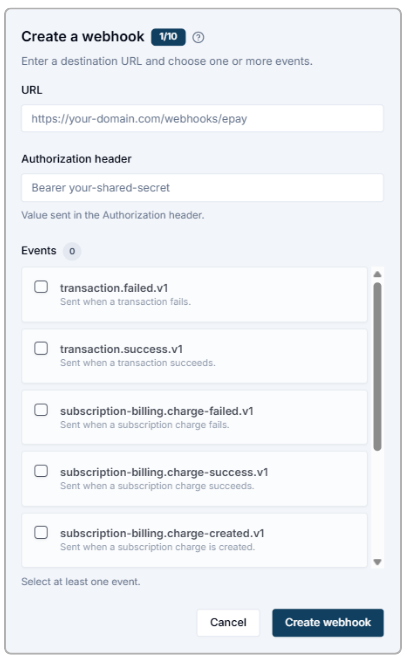
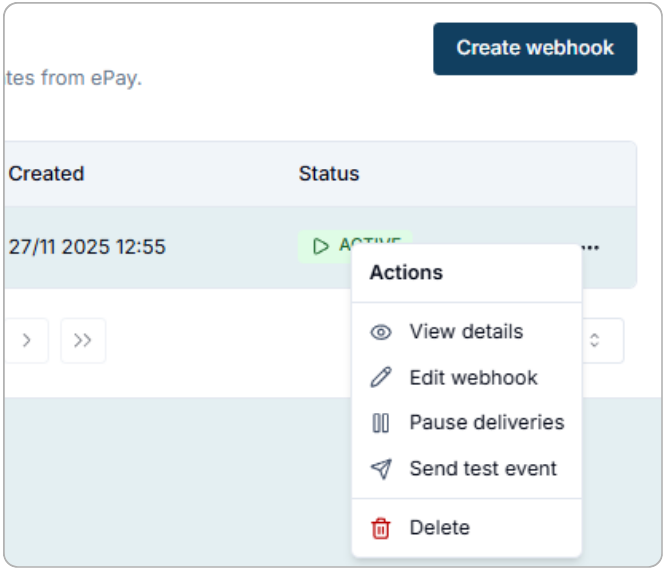
Once your webhook is created, it appears in the overview. From there you can test it, pause it or edit it.
Ready to get started?
If you have systems that need to talk to each other, webhooks are one of the easiest ways to make it happen. You can find the full API documentation at docs.epay.eu
Not an ePay customer yet? Create a free test account and try it yourself: app.epay.eu/register